Keep important content next to the original text
Highlights, annotations, and page notes stay anchored to the page you're reading.
Browser Reading Extension
Open a webpage. Your reading space is ready.
Highlight, annotate, capture, and organize what you read in the browser, with optional Obsidian sync.

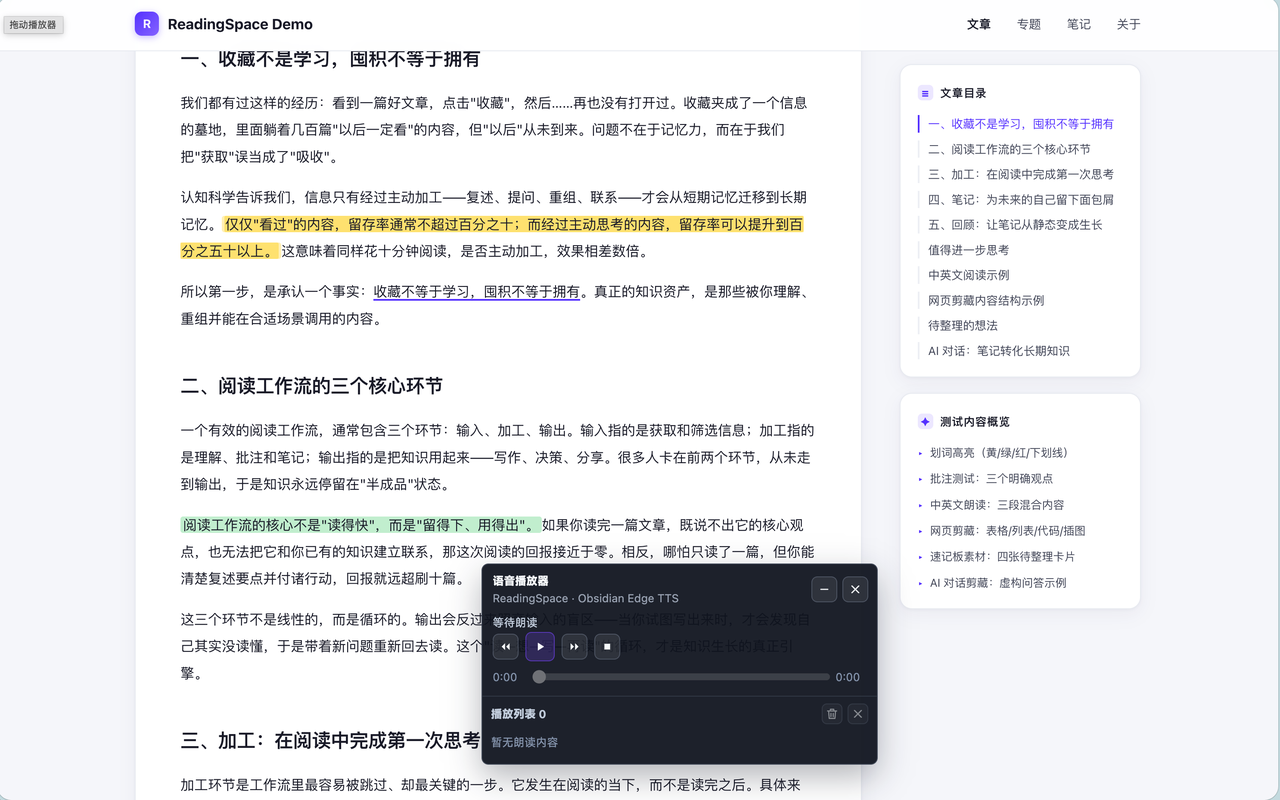
Select text, highlight, and annotate without leaving the page. Capture pages and keep local drafts in the same extension, then sync to Obsidian when you are ready to consolidate your notes.
Highlights, annotations, and page notes stay anchored to the page you're reading.
Capture pages, take quick notes, and keep local drafts ready for further editing and organization.
Web and Obsidian Reading Space can connect locally. You decide when to sync.
Real Plugin Interface
Chrome Web Store
Search for ReadingSpace in the Chrome Web Store to find the current version.
Search ReadingSpace